
Med Spa Marketing AI
Turn inquiries into a clear next step.
Your website, booking, CRM and ad manager, with automated reminders, intake and consent delivery, branded email and treatment-specific retention.
Reach & book
WEBSITES WE’VE BUILT
Your clinic should
look like your clinic.
Explore real client websites. Different brands, services and people—each with its own patient experience.


Natural Rejuvenation
Warm, refined and grounded in the clinic’s approach.
Full website captures · September 2026. Play scrolls to the footer, then returns to the top.
ONLINE BOOKING
This is what booking
looks like for your patients.
A service-led booking experience, configured with your treatments, staff and availability.
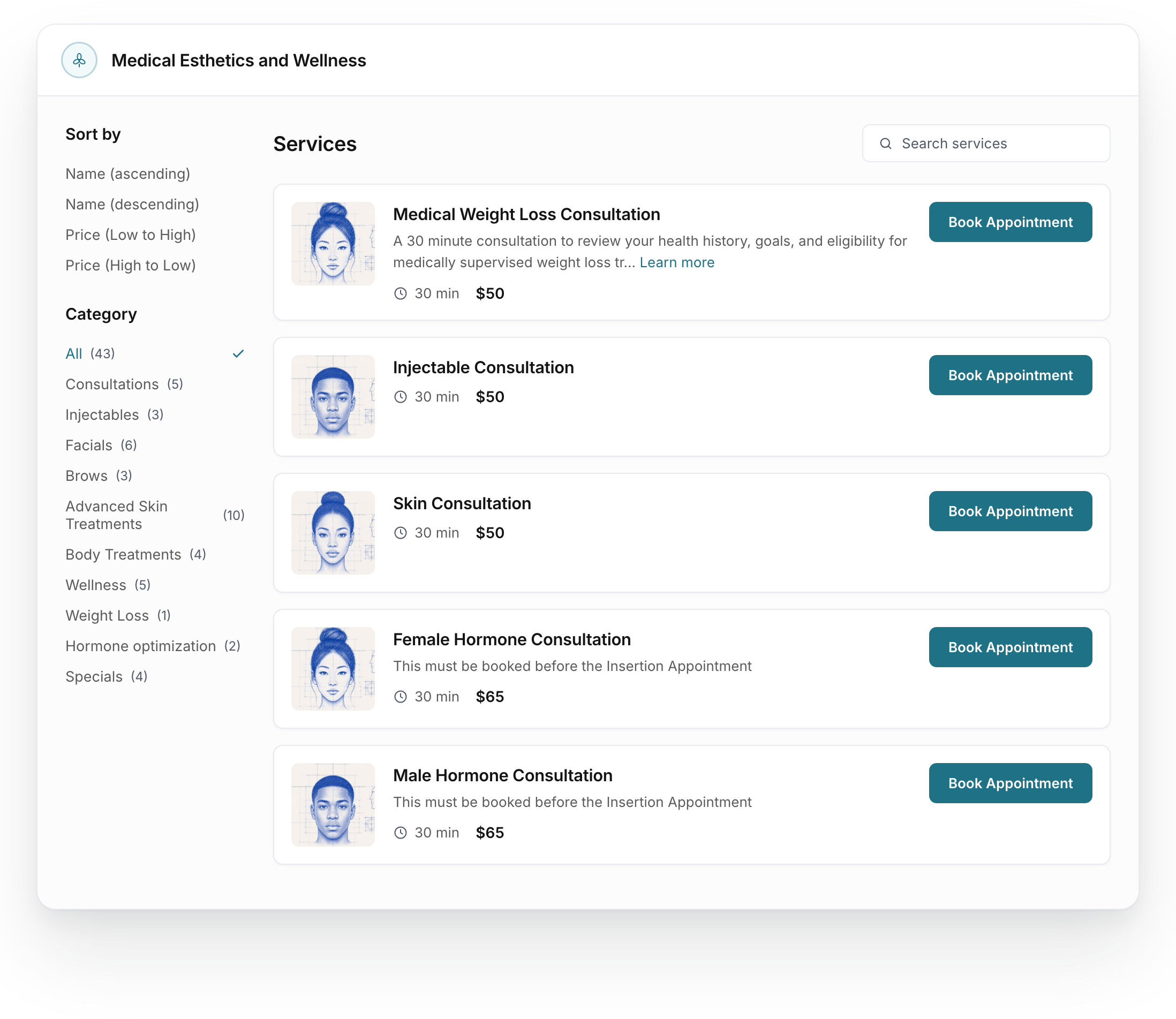
Choose a service
Patients browse your services with a clear description, duration and price.
Different clinics.
Distinct creative.
Explore creative variations built around each clinic’s brand and offer. Meta ads generate the lead; AI follow-up and a staff call help turn that interest into a booking.
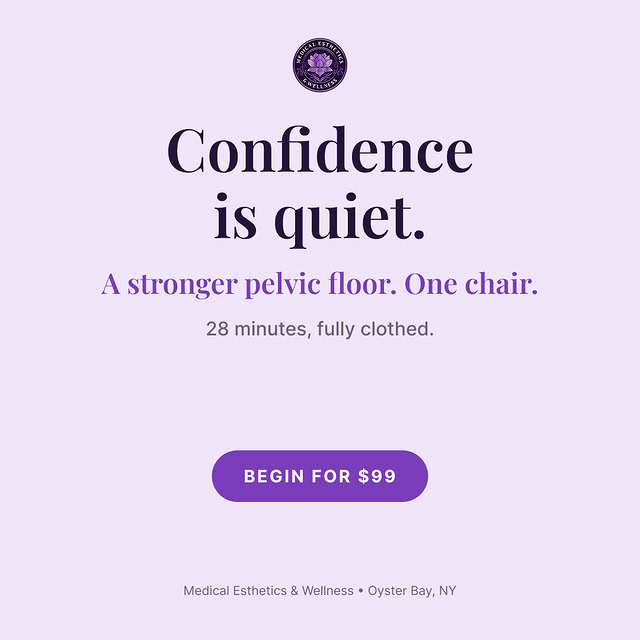
1 of 6Dr. Mary · Confidence
From the first ad
to the first conversation.
Agree on the treatment and message.
Review the service, consultation path and creative together. The clinic approves the offer and wording.
Choose the local reach.
Around ten miles can be a starting point. We agree on the geography after reviewing the treatment, market and budget.
Approve the budget, then launch.
Confirm the Meta ad budget, lead form, AI follow-up and staff call notification before the first campaign goes live.
Launch includes first creative and campaign launch. Later management is client-run or separately scoped. Ad spend is separate.
Selected client creative. Offers shown reflect the original campaigns; individual image results are not claimed.
Give your team
a reason to call.
AI starts the text conversation. Your team gets a notification to call, answer questions and help the lead book.
New consultation inquiry
Jamie Sample- Source
- Meta lead form
- Notify
- Front desk
Call Jamie to discuss the consultation and help choose a time.
Hi Jamie, thanks for reaching out about a consultation. Our team will be in touch. What day usually works best for you?
AI helps with questions and booking.
Your team handles the personal call.
Fictional lead and messages. Notification recipients, SMS timing and messaging permissions are configured for your clinic. Campaign results vary.
Prepare for visits
Appointment confirmation
The appointment details,
in your clinic’s voice.
The confirmation email keeps the visit, date and time together in your clinic’s branding.
Explore the feature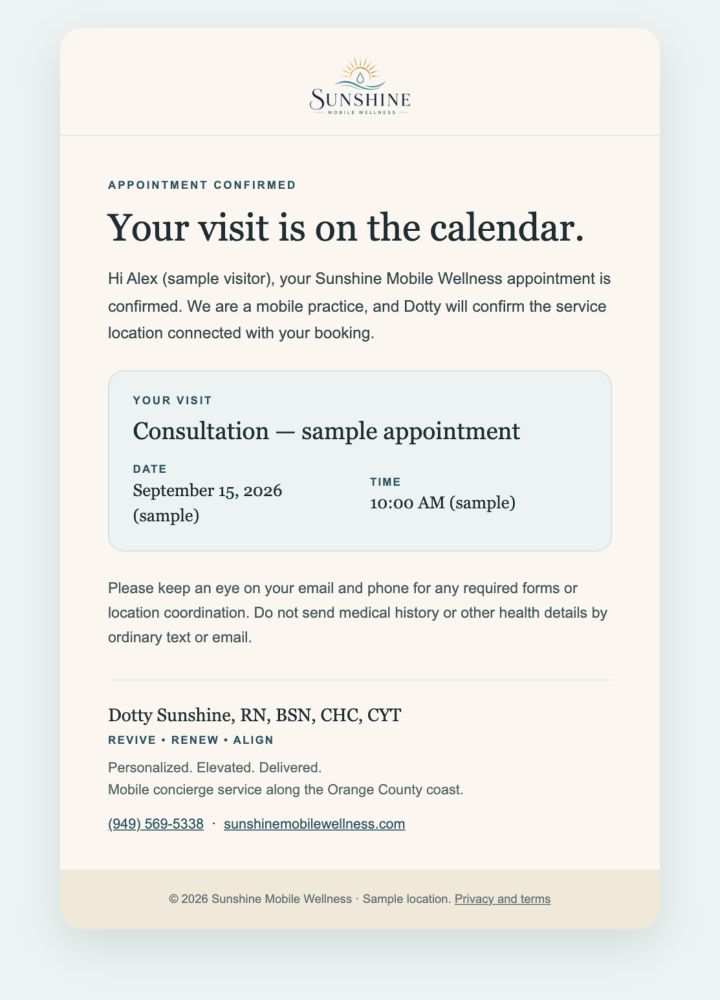
PREPARED BEFORE THEY ARRIVE
Prepare the paperwork
before the visit.
Treatment-specific forms and outstanding-paperwork reminders follow the booking. Good Faith Exam coordination is included where your treatment requires it.
Explore pre-visit automationEmail + SMS
A little preparation.
Hi Jordan,
please complete the intake and consent forms for your upcoming treatment using the link from Your Clinic. Our clinical team will review your information before care.
Your clinic team
Fictional patient: Jordan
Hi Jordan, please complete the intake and consent forms for your upcoming treatment using the link from Your Clinic. Our clinical team will review your information before care.
The clinic approves the forms mapped to each treatment.
Bring patients back
RETENTION FOR EACH TREATMENT
The visit ends.
The relationship
keeps going.
Return-visit invitations, reviews, birthdays and win-back follow your clinic’s services. Approved aftercare runs separately with post-treatment instructions.
Explore treatment retentionTreatment-specific return visits
A reason to return.
- EmailRelevant return invitation
- WaitClinic-approved interval
- CheckHas the patient booked again?
 | |
|
Portland, Oregon
Evidence MD
| |
|
Hi Jordan, Skin treatments tend to work best on a steady rhythm. The results from your last visit build and then gradually level off, and a maintenance visit around now helps hold the progress you have already made rather than losing ground between sessions. If it is a good time, you can reserve a spot below. If you would like to space things differently, your provider is glad to help you find the right interval.
Warmly, | |
|
Evidence MD 4310 N Interstate Ave, Suite 100, Portland, OR 97217 hello@evidencemdaesthetics.com You are receiving this because you are a patient of Evidence MD. Unsubscribe |
Workflow illustration with branded email designs and fictional samples. Rebooking and later reactivation are configured for the treatment.
See the complete visit-to-follow-up sequence
See the follow-up take shape.
Illustrated sequence. Messages, timing and clinical steps are configured for your clinic.
Manage the day
CRM & conversations
The conversation
stays with your team.
Review the thread, find recent messages and follow up with context from one team inbox.
Explore the feature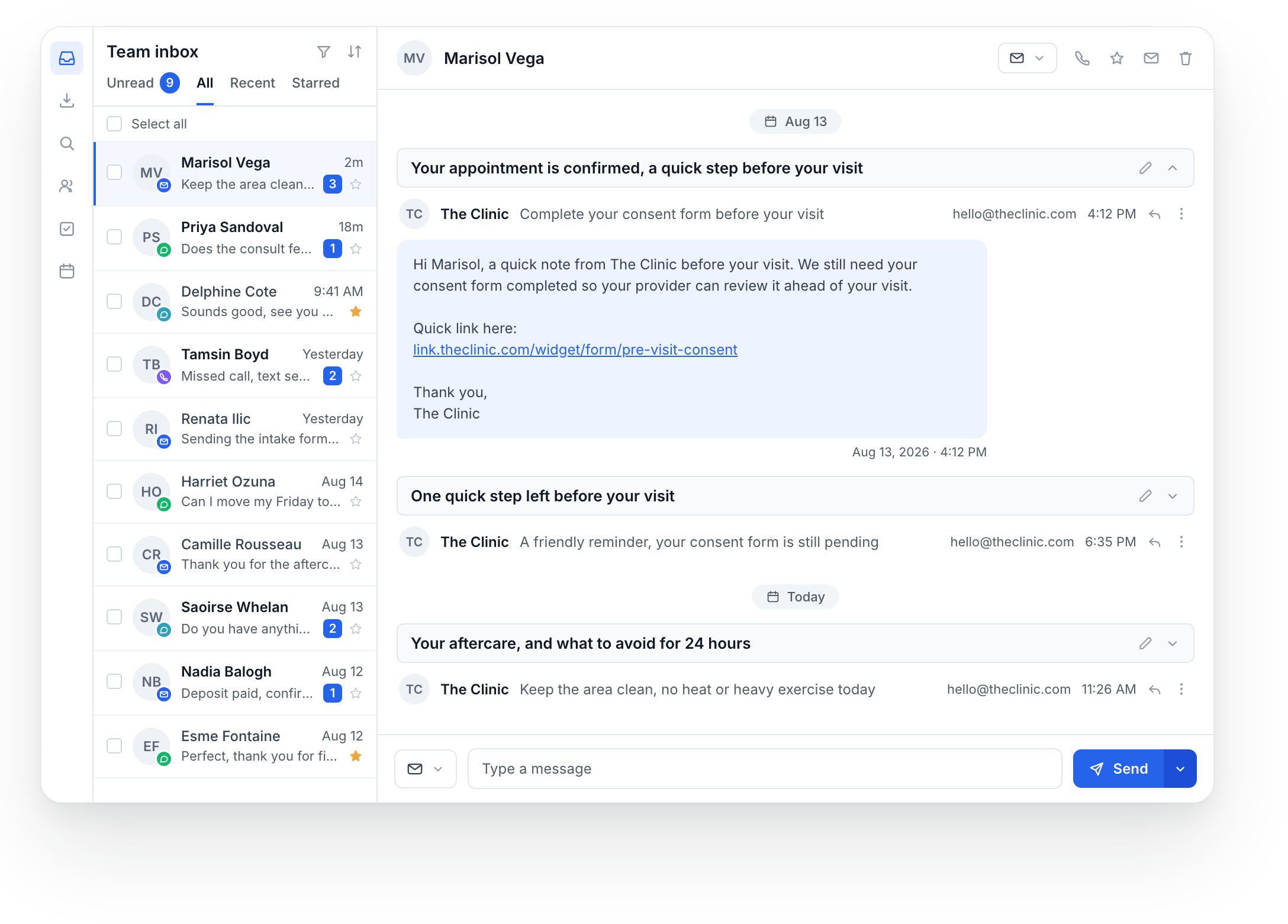
YOUR BRAND, BEYOND THE WEBSITE
The message feels
like your clinic.
Branded emails for the appointment, the follow-up and the next visit.
A voice of their own.
Complete clinic designs with fictional sample values. Preview actions are inactive.
Dashboard
A clearer view
of the appointment book.
Review appointments by status and calendar, and choose a date range for the numbers you need.
Explore the feature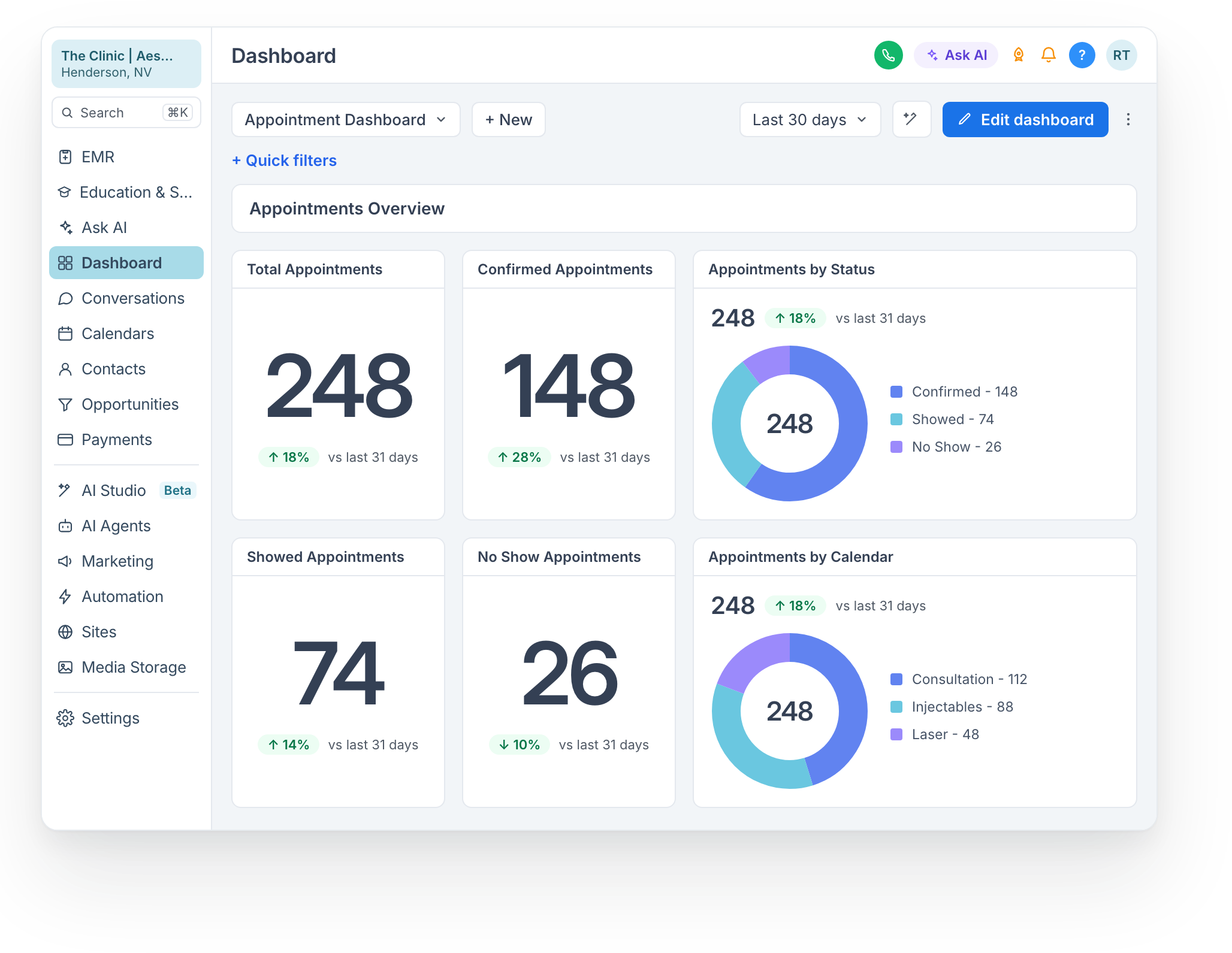


SEE IT FOR YOUR PRACTICE
See a booking and follow-up workflow.
Bring one service and one follow-up challenge. We can use them to guide the platform demo.
Book a demo