
Payments and Tap to Pay
Collect the payment. Keep the record in view.
Review clinical payment records and use the connected mobile payment setup for contactless collection.
See it in a demo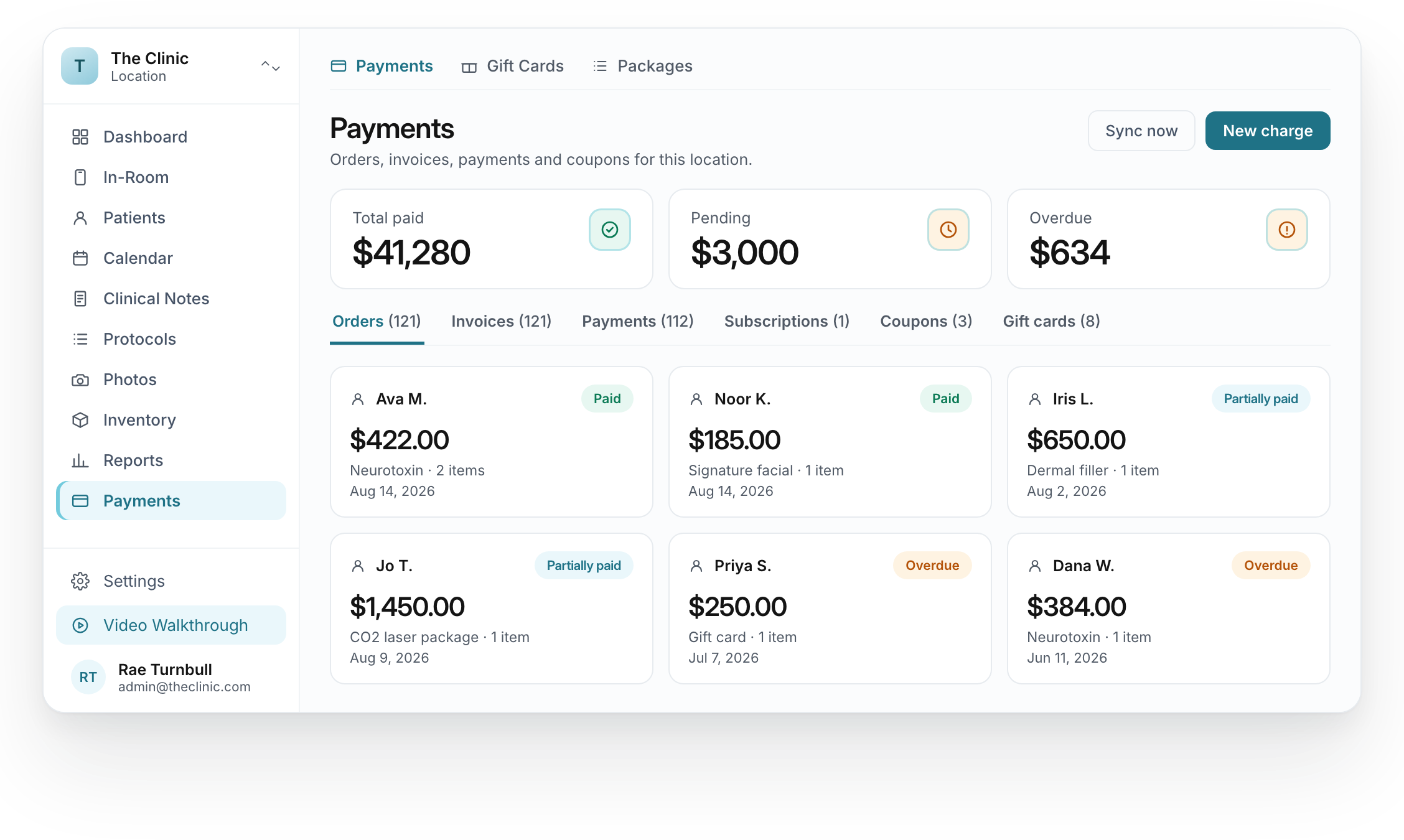
Go from a total to the individual record.
The displayed status matters when reviewing an order or payment record.
Individual payment records
- The record
- Identify the order or payment being reviewed.
- The amount
- Read the amount in the context of that record.
- The status
- Distinguish the displayed paid, partially paid and overdue states.
Med Spa Marketing AI · Mobile collection
A phone.
A contactless payment.
Tap to Pay brings compatible cards and digital wallets to the mobile payment step.
Requires a compatible device, mobile app and provider. Availability varies by country.
Hold the card near the phone
Compatible contactless card or walletFrom the amount due to the recorded payment.
Review order, invoice and payment details in the clinical workspace.
Collect contactless payments with an eligible phone and supported provider setup.
Check the payment confirmation and transaction record before closing the task.
We check the payment connection and mobile requirements.
Tap to Pay depends on the processor, device, country and mobile app. We review compatibility during setup. Payment processing and usage charges remain separate.