
EMRMedSpa · Custom EMR
The clinical side of your platform.
The clinical workspace included in the Operating System: treatment notes, consent review, Good Faith Exam coordination, photos, protocols and inventory.
Prepare for care
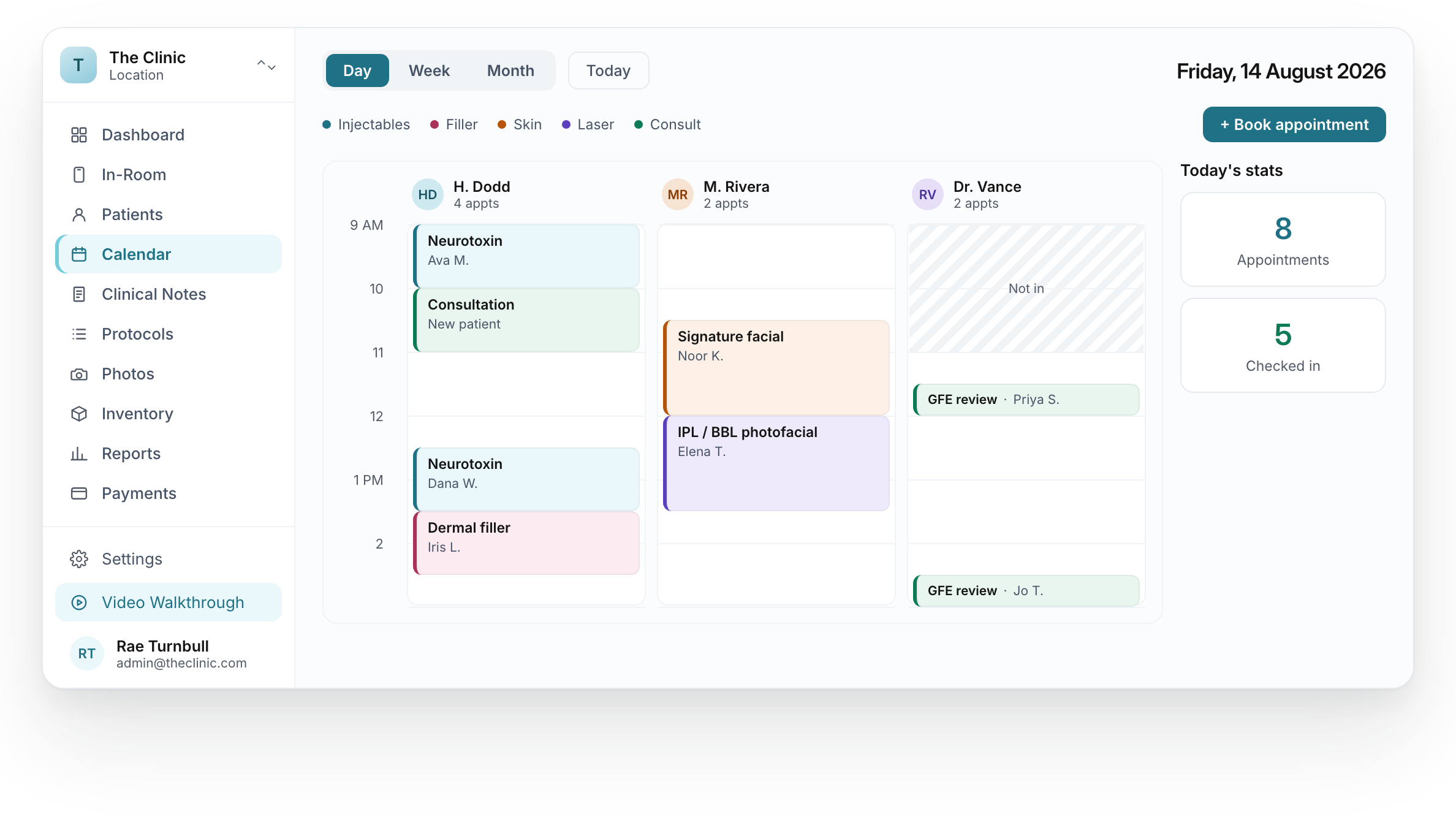
Review the day’s appointments.
See the appointment blocks for each provider in the clinical calendar.
Forms & consents
Keep consent status
in view.
Send your clinic-approved forms and review the consent status shown beside clinical notes. Your team reviews the patient record before treatment.
Explore the feature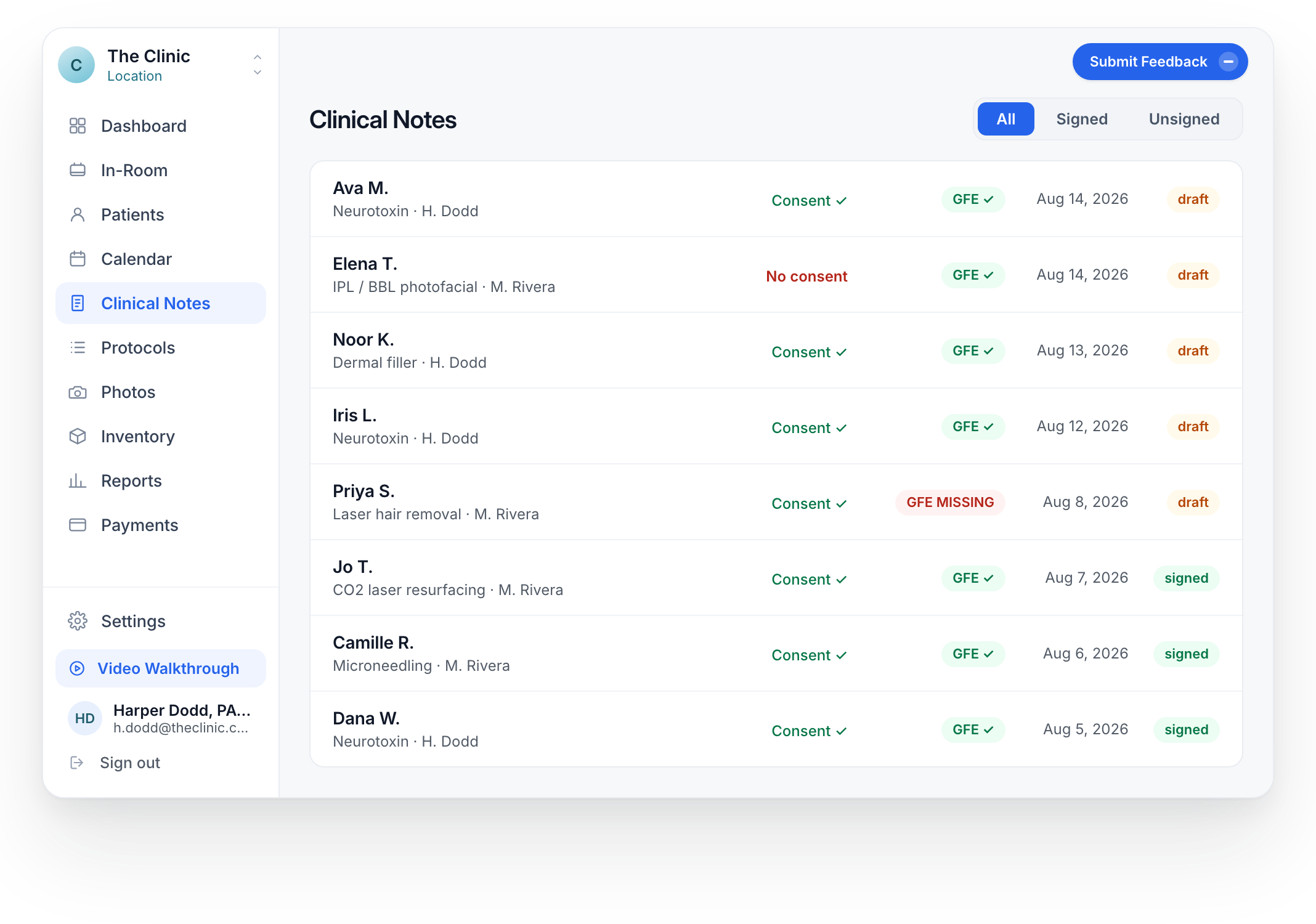
Make the required exam step easier to follow.
When the treatment requires a GFE, a clear message connects the patient to the clinic’s process. The clinical decision stays with qualified staff.
THE EXAM ROUTE YOUR CLINIC USES
Coordinate the step.
Keep the clinical decision with the clinician.
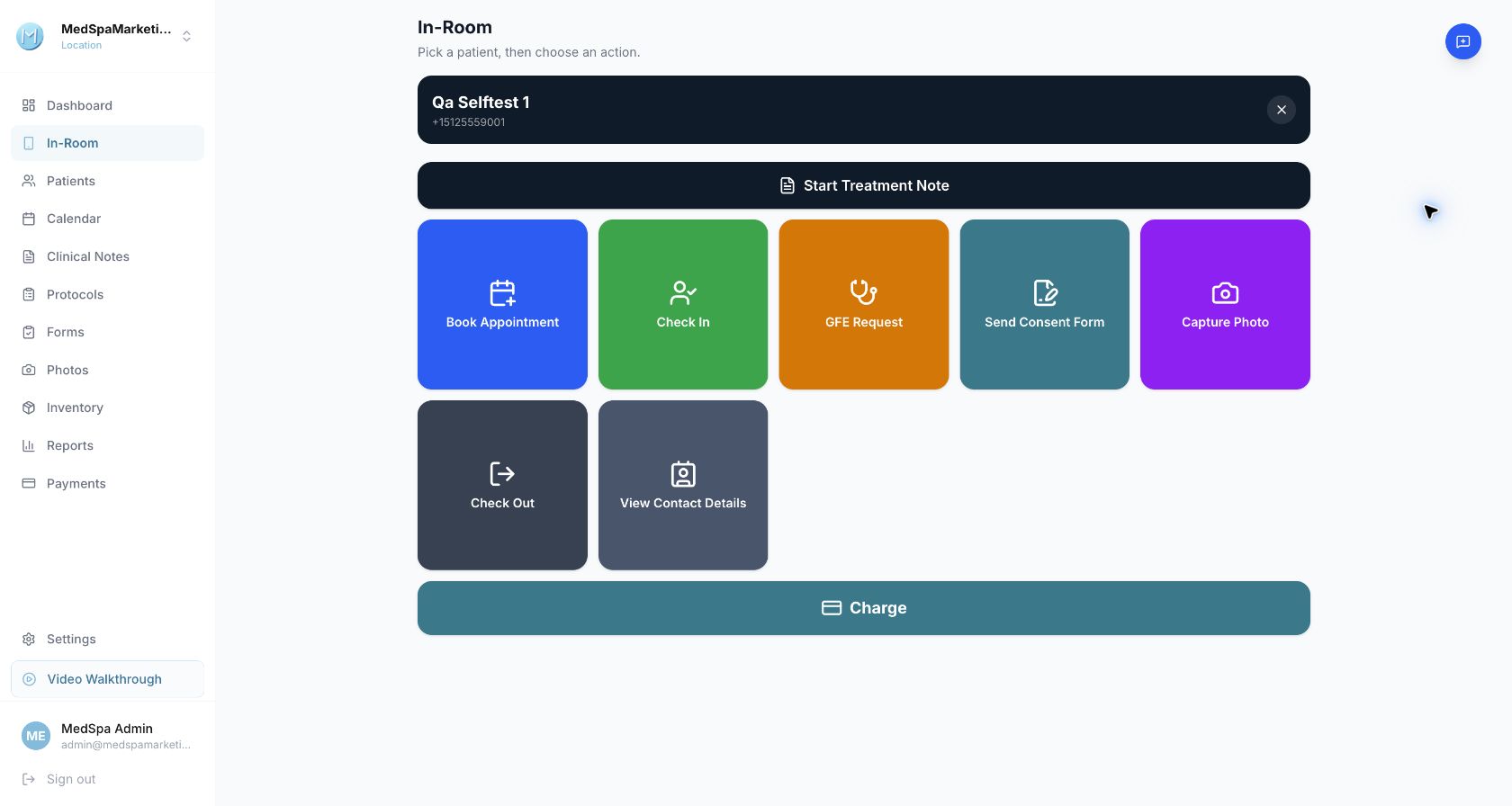
Request an exam through your connected provider.
The connected Qualiphy route helps your team request the required exam and guide the patient to the next step.
- Request the required exam
- Guide the patient to the exam
- Review the clinical record before treatment
Availability and exam requirements depend on your clinic’s setup. An exam request does not establish clinical clearance.
Good Faith Exam coordination
For treatments that require an exam
Your exam, before your visit.
Hi Jordan,
your appointment requires a Good Faith Exam. Please use the clinic’s instructions to arrange it before your visit.
Your clinic team
Fictional patient: Jordan
Hi Jordan, your appointment requires a Good Faith Exam. Please use the clinic’s instructions to arrange it before your visit.
The clinic identifies which treatments require an exam. Matching SMS is an illustration; timing is configured for your clinic.
Document the visit
Clinical notes
The treatment record,
in one workspace.
Procedure details, vitals, SOAP notes and treatment-area documentation are part of the clinical workflow.
Explore the feature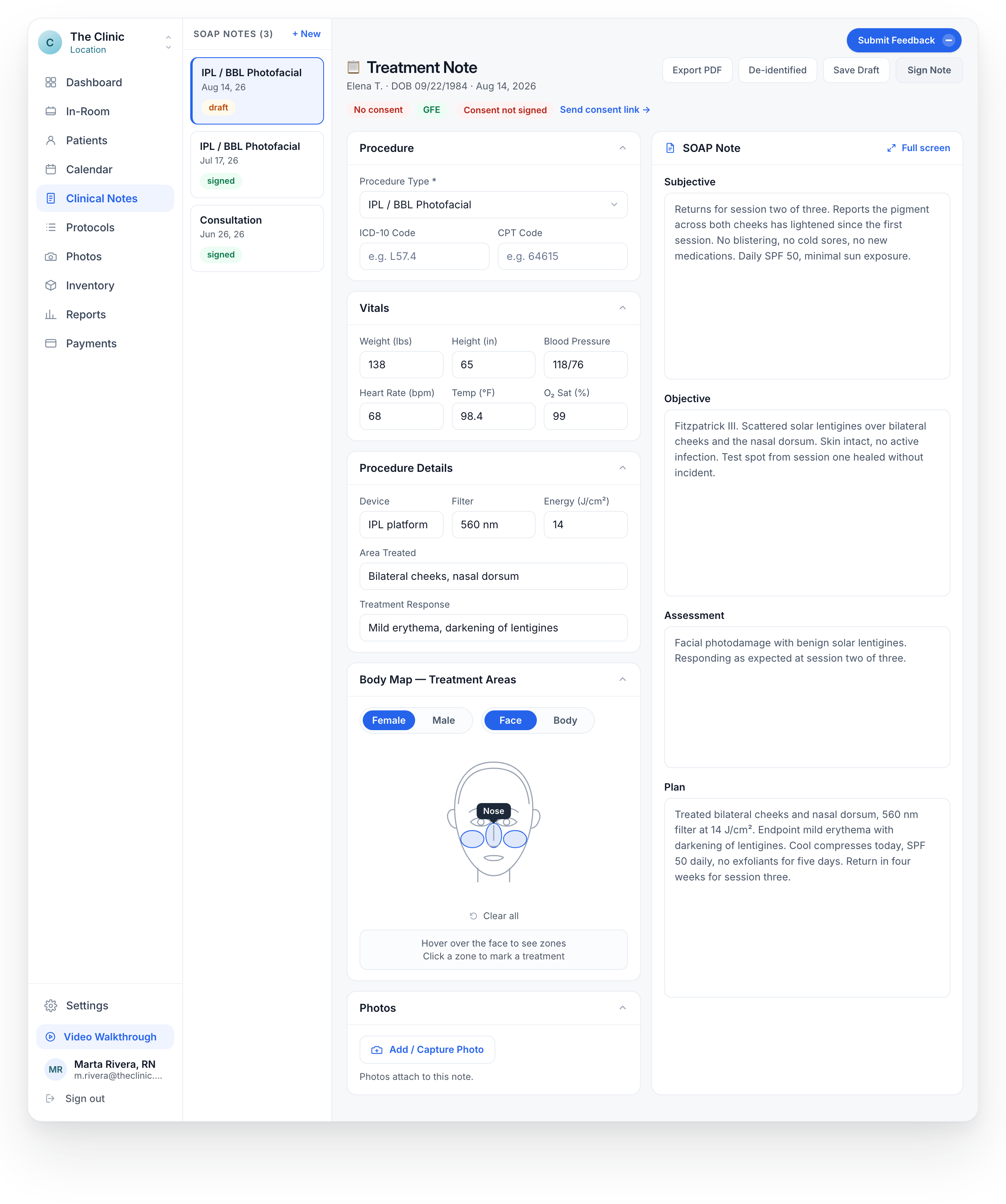
Clinical photos
Document what you need to compare.
Organize treatment photos by category and use the comparison view to review them. Attach visit photos while documenting the clinical note.
- Organize before, after and clinical-finding photos.
- Find the photos relevant to the patient and treatment.
- Use the comparison view during review.
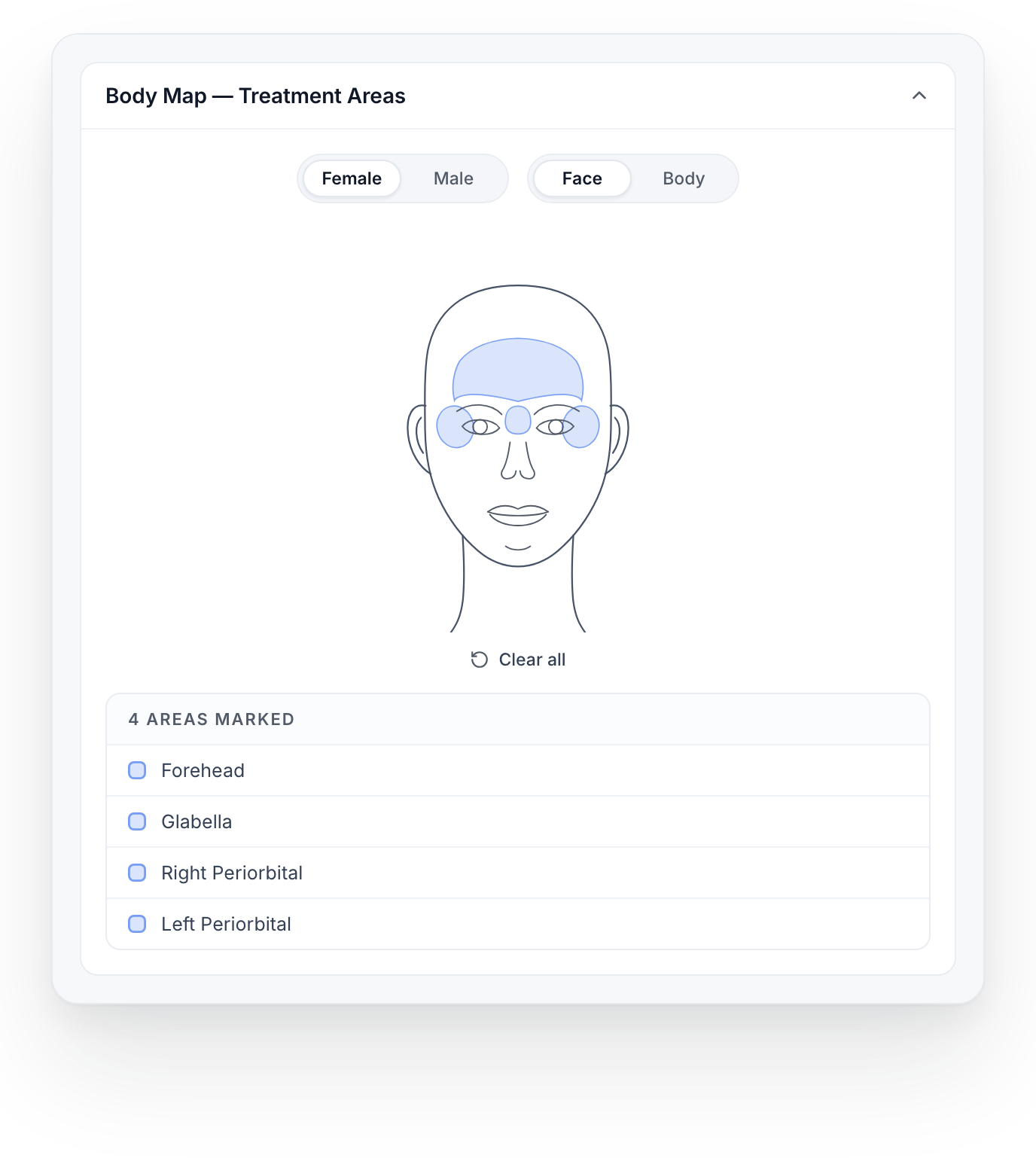
Mark the area alongside the treatment note.
Run the practice
Inventory
Know what is
on the shelf.
Review products, available quantities, batches and low-stock indicators in the inventory workspace.
Explore the feature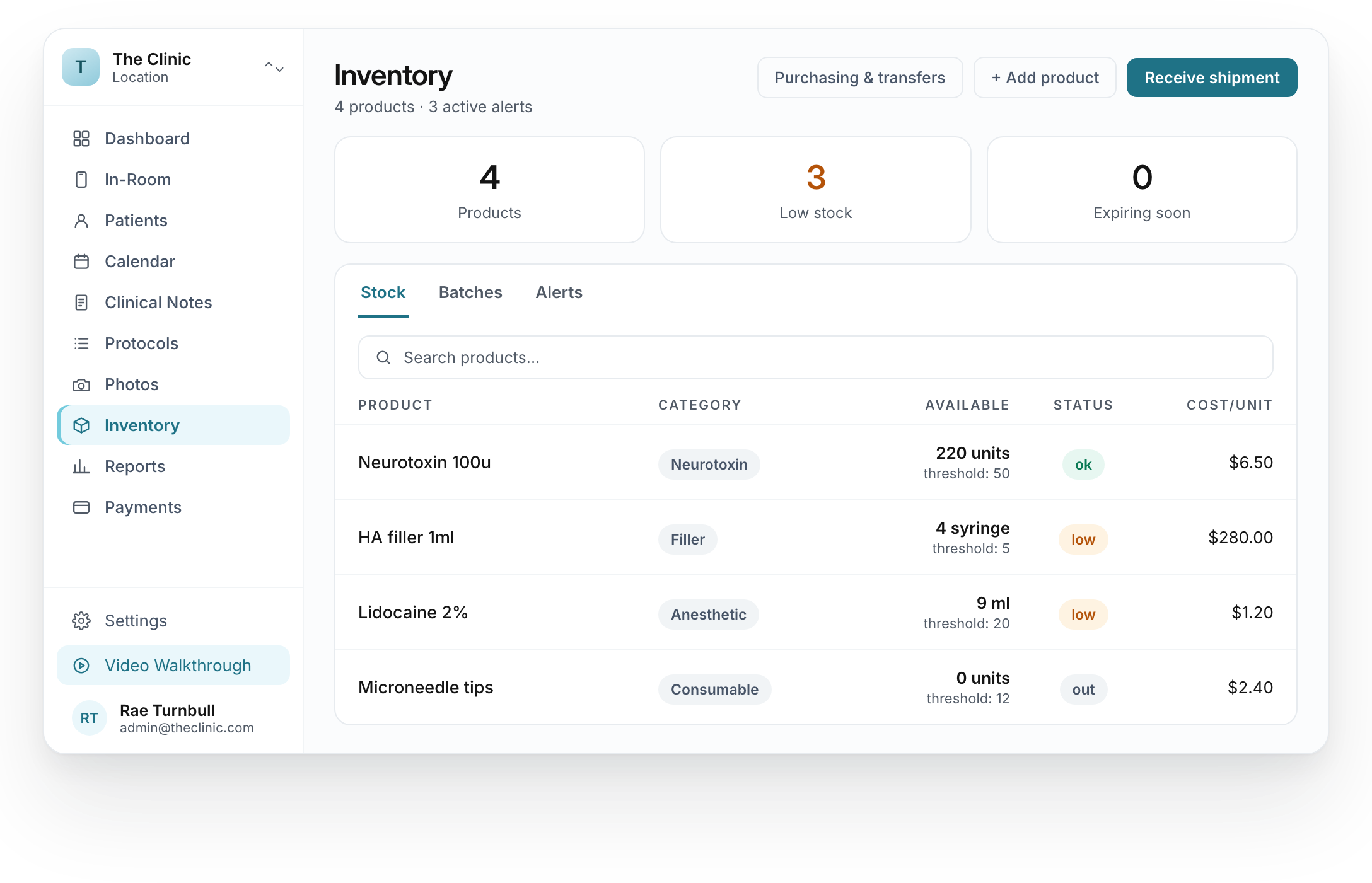
Payment records
The financial side
of the clinical record.
Review orders, invoices and payment statuses from the payments area of the EMR.
Explore the feature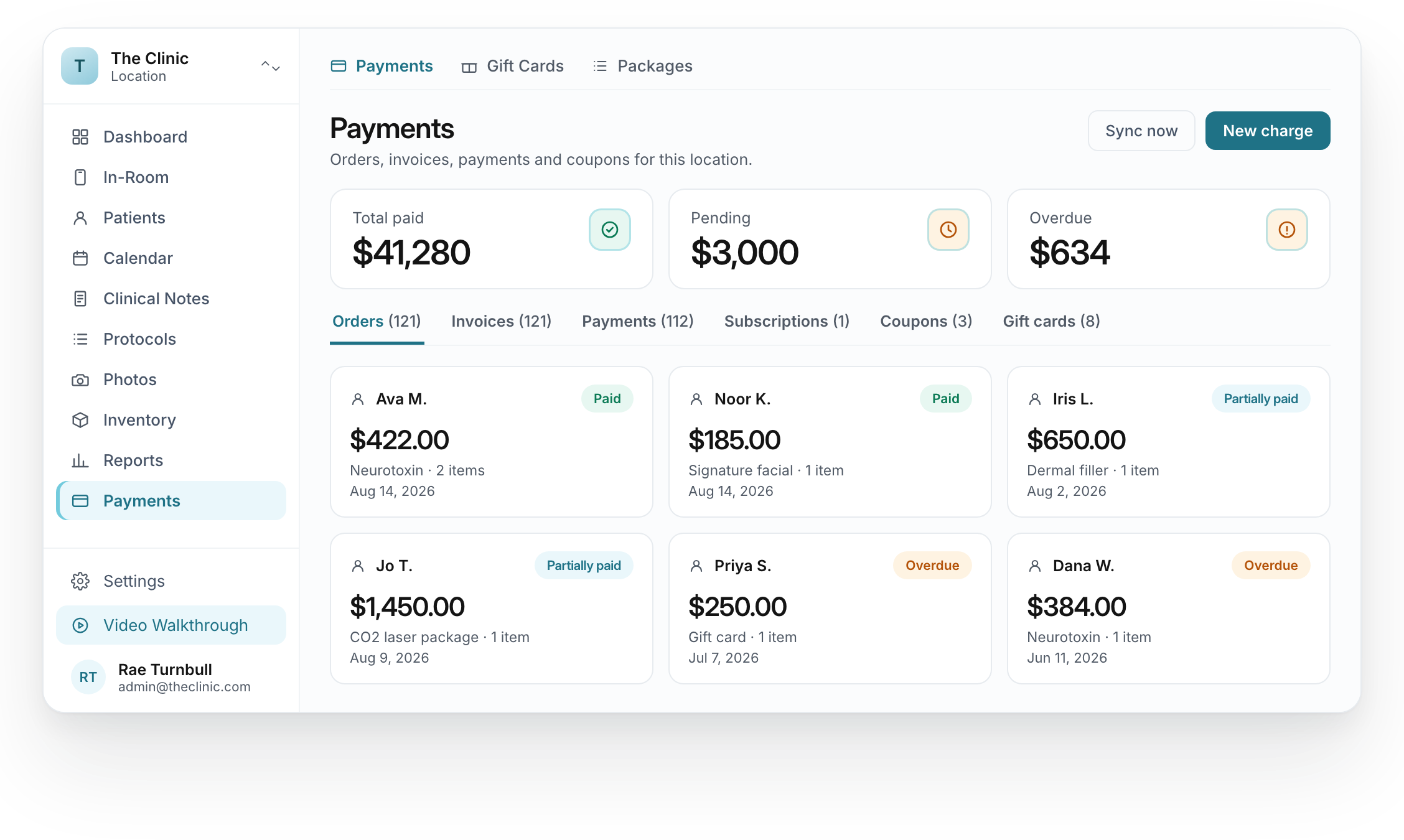
THE CLINICAL DETAILS
More than
an appointment record.
EMRMedSpa
Clinical notes, consent records, photos and inventory for the treatment side of your practice.
Browse all featuresPatient records
Find patients by name, email or phone and open demographics, medical history and treatment notes.
Explore featureTemplates & smart phrases
Document treatment with SOAP notes, treatment-specific templates and smart phrases.
Explore featurePhotos & before/after
Capture treatment photos, organize before and after images and compare the selected views.
Explore featureInventory
Product quantities, stock status, batches and alerts in the inventory workspace.
Explore featureTreatment protocols
Search clinical protocols by name, modality or indication, then open or print the guidance.
Explore featureProtocols are for the clinic’s licensed providers. Medical direction services are separate from software access.
In-Room
Select a patient and reach photo capture, a GFE request or checkout from the treatment-room workspace.
Explore feature
Set up access
Talk through HIPAA, access and clinical data.
Discuss the Business Associate Agreement (BAA), staff access and clinical responsibilities before setup.


SEE IT FOR YOUR PRACTICE
Walk through a treatment visit.
See the patient workspace, a clinical note, consent tools, photos and inventory in a guided demo.
Book a demo