
SAMPLE PRODUCT
Disposable skin markers
Unit count · batch SKM-2609-A24units on hand
- Stock threshold
- 10 units
- Batch expiry
- September 30, 2027
Inventory
Review product quantities, batches and stock alerts in the inventory workspace.
See it in a demo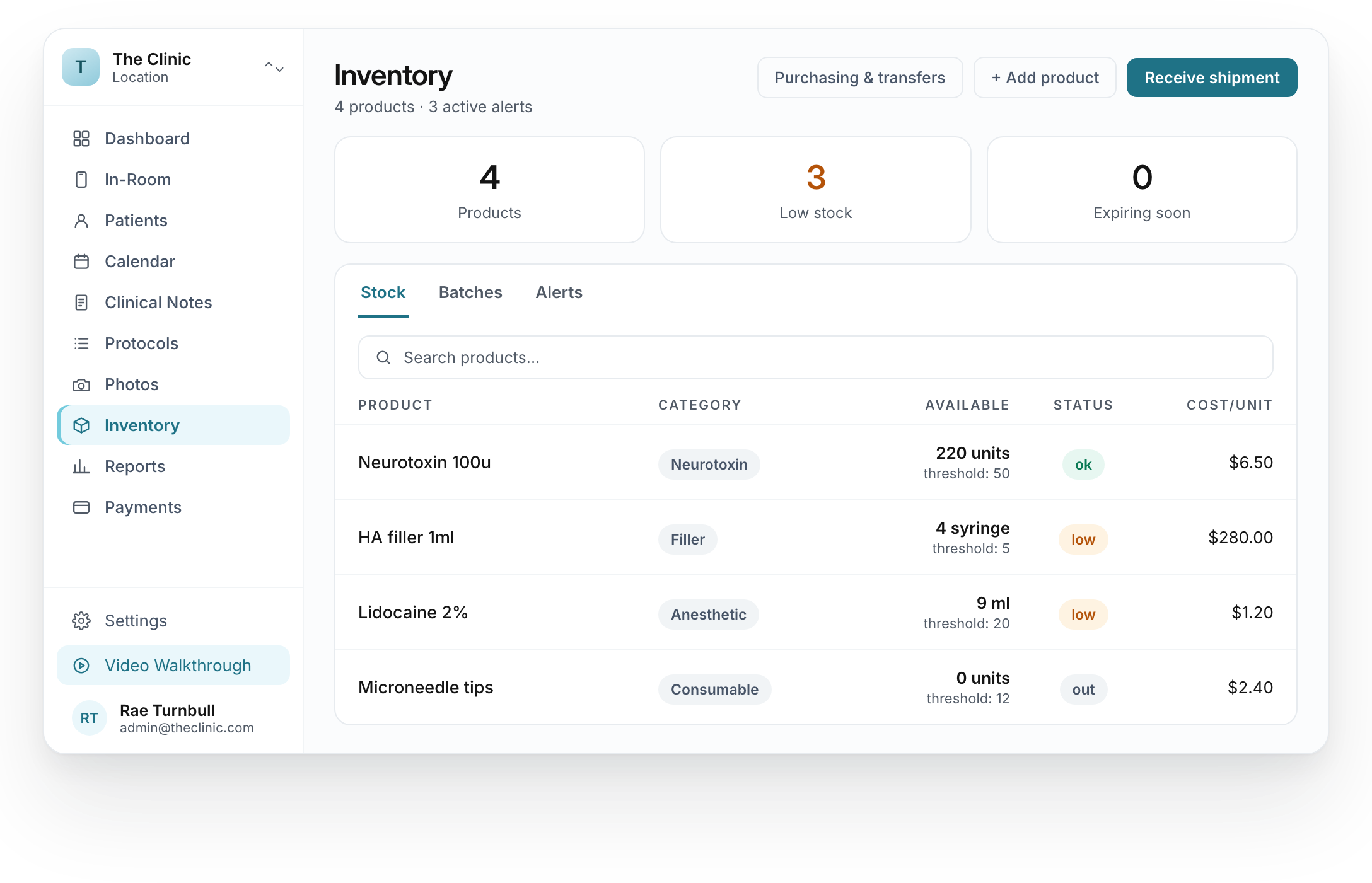
The focused stock list keeps the product, available amount and displayed status together.
A PRACTICAL STOCK CHECK
Review the stock condition
before choosing the next step.
SAMPLE PRODUCT
Above the stock threshold
Review the quantity and batch before the team uses the product.
Fictional inventory example reviewed as of September 7, 2026. Quantities, thresholds, batches and dates are sample values. This illustration does not place an order or change stock.
Search the product list and review recorded quantities.
Inspect stock status and low-stock indicators.
Move between stock, batches and alerts.
We review the agreed inventory setup with your team. The clinic provides the product details, opening quantities and thresholds it wants to maintain.